HuubR Lv 1
Update, Saturday, 10 September 2022, 20:30 UTC
This is no longer an issue, since yesterday's release (confirmed for 20220909-b42954dba9-win_x64).
Many thanks to @jflat06 and other devs for fixing this bug!
Case closed (cannot find the button to do that)
Original post, Thursday, 08 September 2022, 23:00 UTC
Installation of the new client (20220906-d431352453-win_x64) was a breeze. Client starts up all right, but with default settings for everything. So I used General Options - Advanced - Import Preferences. Immediate success! But at the (required) restart, it crashed before I even got to the login screen. Next attempt: a "warning" saying something I already knew: 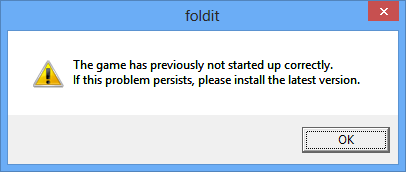
And indeed: the problem persists. :-(
Instead of re-installing the latest version, I renamed options.txt to some other name. This made the client start up OK, but of course with all settings back to default. Well, not quite: my View Preset options were still there :-)
After an elaborate search, I managed to track the problem down to the line
"view_options/show_backbone_issues" : "1"
in options.txt (part of my imported preferences). When I change that back to the original "0", everything is OK. After logging in, I can then go to View Options, More View Options, and tick Show backbone issues: that works normally. But as soon as I restart the client while that option is on, the problem is back.
Remedy (for now): be sure not to tick that view option, or to untick it before you exit!