"downloading solution list" and timeouts in general

Started by LociOiling

LociOiling Lv 1

Devprev release 39 fixed problems with seeing shared solutions, but there are still several issues:

  1. Downloading shared solutions remains very slow, usually taking 30 seconds or longer.
  2. The new "Downloading Solution List" dialog with the animated clock is slow to appear, taking around 10 seconds after an action starts.
  3. The "Downloading Solution List" dialog disappears before the download has actually finished.
  4. When a download fails, there is no error indication. The left-hand side of the Open/Share Solutions dialog remains blank. Previously, an error message, "There was an error getting shared solutions from the server", appeared on the left.
  5. When uploading a shared solution, the "Downloading Solution List" dialog appears, and takes quite a while to complete. The solution just uploaded does not appear on the left hand side. The "Refresh Shared Solutions" button repeats the download, and the shared solution normally appears on the second try.
  6. Getting shared solutions still fails often. For example, at the moment, I can't see the shared solutions on puzzle 2472, even though they were there earlier today. Server issue, seems the same on main and devprev.

Other functions, such as the puzzles menu, the cookbook, and the compound library also depend on downloads from the server. They're inconsistent in how they handle timeouts. The puzzles menu may show a "Downloading Puzzle Files" dialog with an animated clock. The cookbook and the compound library don't have a similar dialog.

The cookbook in particular often appears empty when a client first starts. The "Refresh Cookbook" button normally fixes that, but it appears it can fail as well. There's no error message that appears when it fails.

For consistency, any potentially blocking action should put up a "loading" message with a cancel button. An error message should appear if the action times out.

The compound library window refreshes itself every so often. It appears that other actions can continue while that's happening. So a "loading" message doesn't seem necessary. An error message if a refresh fails would be helpful, however. Ideally, a failed compound library refresh would leave the previous results displayed.


Bletchley Park Lv 1

One other issue is this:
If I want to load a local solution, I still need to go through the procedure of 'refreshing' the list from the server. There is no need to do this and it would be a better design to just open the local list and let me choose whether or not I want to refresh the list from the server (put the refresh button under the server side listing and do not automatically refresh).

jeff101 Lv 1

Many times recently I haven't been able to see the Shared Solutions on the server, so I put off Sharing Solutions with Scientists until I could see the solutions on the server. One task I've been doing today is to share a long backlog of Local Solutions with Scientists. Most of them have had long pauses while the message "Refreshing shared solutions" appears on the screen and a spinning rainbow circle icon spins. Below are some ideas to make this process less tedious:

(1) Let us select many solutions at once and then click on "Upload For Scientists" to share them all with scientists at once. I'd rather wait several minutes for all to go at once than to wait 10-30 seconds for each to go one by one.

(2) Have some audio clue while the "Refreshing shared solutions" message is on the screen or a ring or ping when the message goes away. This would save lots of eyestrain as I wait for the sharing to finish. I could close my eyes and just listen for when the sharing is done. Maybe I could open other apps on my screen and do useful things with them until the "Refreshing shared solutions" sound changes.

See https://fold.it/forum/bugs/downloading-solution-list-and-timeouts-in-general#post_78905 below for more ideas.

LociOiling Lv 1

Edit: major revision to this post, concerning the "Download" option in Open/Share Solutions.

When I use the "Download" arrow in the Open/Share Solutions dialog, nothing appears to happen. The solution does not appear on the right-hand side, as a "local solution".

Checking the Foldit directory, I see a solution file was actually downloaded.

After closing Open/Share Solutions and opening in again, the downloaded solution appears as a local solution and can be loaded.

The "Refresh Shared Solutions" button apparently does nothing for local solutions.

LociOiling Lv 1

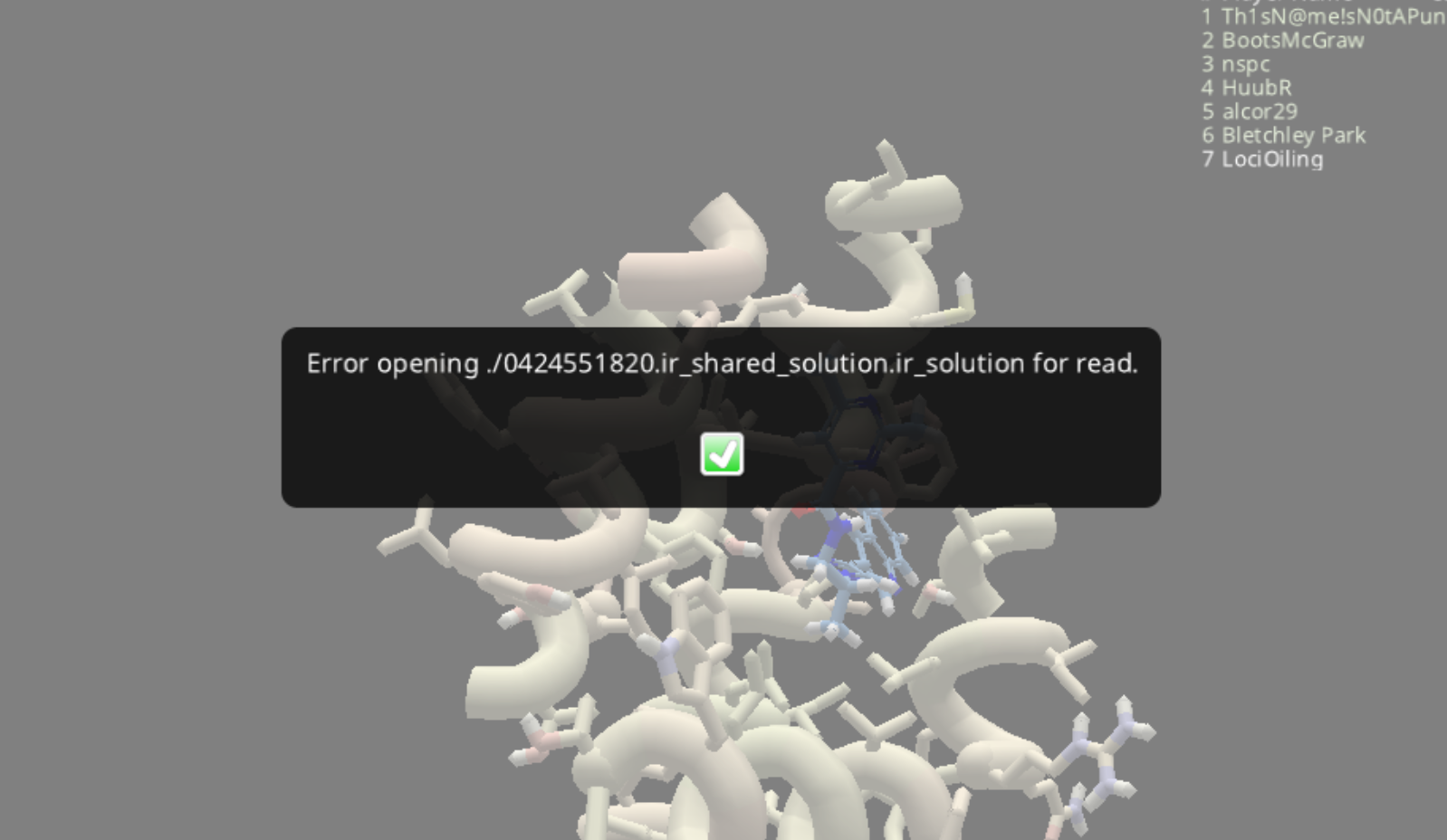
Much like the "Download" button, the "Load" button in Open/Share Solutions doesn't work on the first try. The difference is that "Load" produces an error message like the one shown below.

A check of the Foldit directory shows the file named in the error message was actually downloaded.

The solution in question appears when Open/Share Solutions is opened again, and loads normally.

LociOiling Lv 1

It's still relatively early, but I've already lost the ability to see shared solutions for 2475, ED reconstruction 95.

I had one shared solution that was visible in Foldit. Uploading a new solution had no effect on the list of shared solutions. Repeatedly refreshing shared solutions also had no effect.

After restarting Foldit, the shared solution that was visible before is no longer there. The more recent uploads are also absent on the shared solutions side.

The same thing happened last week on multiple puzzles.

I found a workaround using Discord, as described on vet chat a bit earlier.

First, locate the solution file in your Foldit directory (c:\Foldit or whatever).

A solution file will have a name like "0424551820.ir_shared_solution.ir_solution".

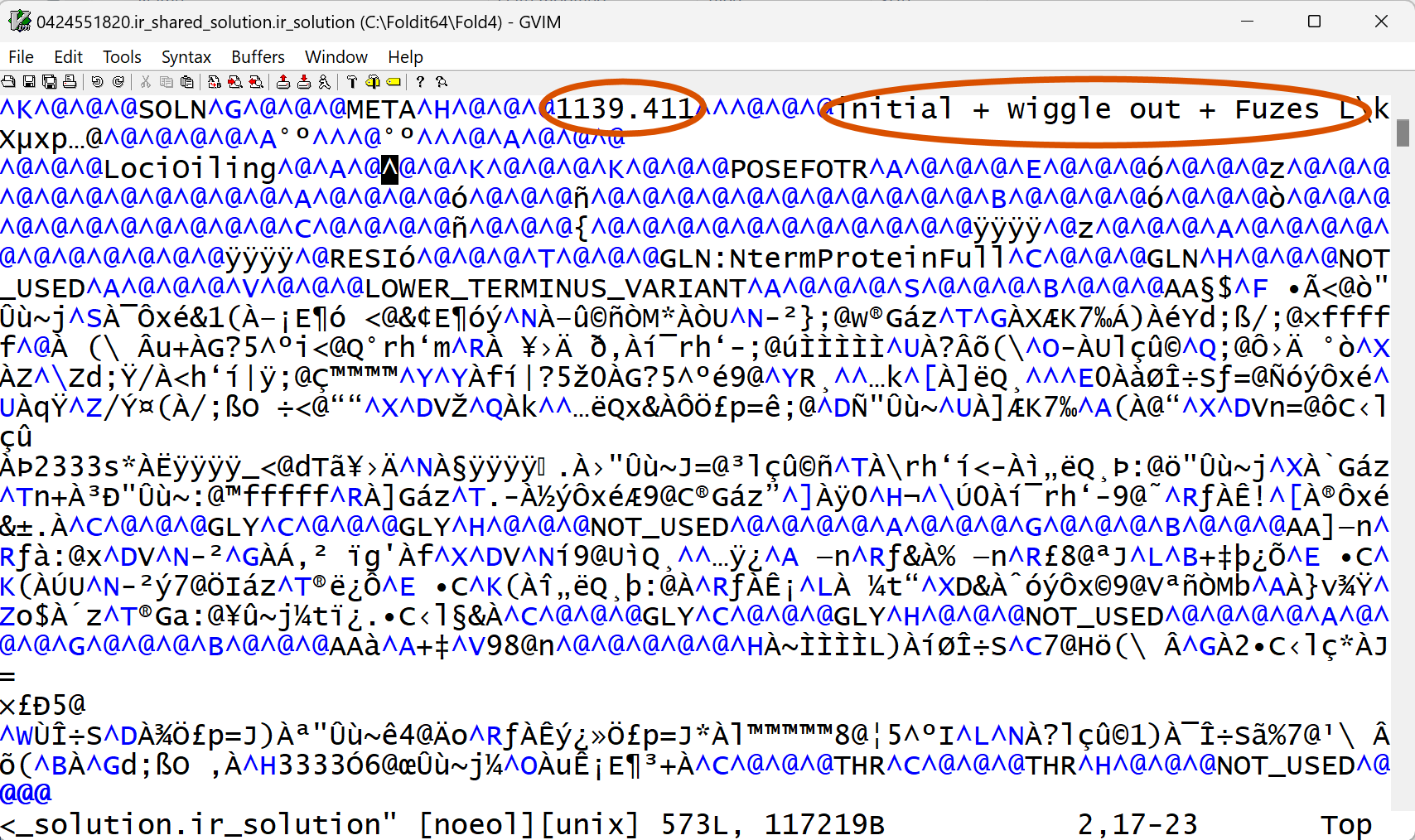
A good editor (I use "vim" ) will show the solution name and description near the top of the file (amid lots of gibberish).

You can then drag the solution over to a Discord window, such as your group chat.

When you drop it, you can give it a description.

Anyone else on the chat can download it.

I was able to download and open my own solution on a different computer, haven't tested this at at group scope yet.

If you're concerned about sharing with scientists, in theory, you can do a Discord PM with the scientist of your choice to share using this method.

Here's what a solution file looks like, at least in vim. The solution name is "1139.411", and the description is "initial + wiggle out + Fuzes L". Solution files are a mix of readable text interspersed with encrypted or obscured data fields.

jeff101 Lv 1

Continuing https://fold.it/forum/bugs/downloading-solution-list-and-timeouts-in-general#post_78885
above about the Manage Solutions menu, (3) it would be useful to have keyboard shortcuts for the left
and right green arrows labeled "Download", "Upload For My Group", "Upload For Myself", and "Upload
For Scientists". When I upload shares for scientists, I have an asci file open in Notepad (PC) or TextEdit
(Mac) where I mark "sci" next to each solution name as I go. This helps me keep track of what I have
already shared. Having keyboard shortcuts would require less back and forth mouse motion for each
solution shared. If we continue to not be able to see what solutions already reside on the server,
recording which solutions we have already shared like above in an asci file may prove necessary.

Thanks!

jeff101 Lv 1

Below are some more ideas for the Manage Solutions menu:

(4) The vertical sliders for Shared Solutions and Local Solutions often get reset
to the top. When I am sharing solutions with scientists, I tend to share them from
the top of the list to the bottom. Each time I click on "Upload For Scientists", it
would help if the sliders would just stay where I leave them. This would save me
many vertical mouse motions of the sliders between each share.

(5) Sometimes it helps to compare the contents of Shared Solutions and Local
Solutions. On my Mac, I can see about 2.5 Shared Solutions and 2.5 Local Solutions
at a time. If I want to see others, I have to move the vertical sliders. The Manage
Solutions Menu has large margins on all sides. Would it be possible to reduce these
margins so more solutions can appear at the same time? With more horizontal space
for each solution, less vertical space will be needed. You could even combine some
lines like Shared With, Score, and Created By into one line. For that matter, you could
combine listings for the same solution shared with both My Group and Scientists into
one listing that says Shared With My Group & Scientists (this might require adding
new buttons at the bottom like "Unshare with My Group", "Unshare with Scientists",
or "Unshare with Myself").

jeff101 Lv 1

(6) If you adopt idea (5) above in the Manage Solutions menu, you could even use a unix-like three-character
notation to show which solutions are shared with group, myself, or scientists. Start with three - signs (---)
as the default. For solutions shared with group, replace the first - with the letter g. For solutions shared with
myself, replace the second - with the letter m. For solutions shared with scientists, replace the third - with
the letter s. In this notation, solutions shared only with group will have g--, ones shared only with myself will
have -m-, ones shared only with scientists will have --s, and ones shared with both group and scientists will
have g-s.

LociOiling Lv 1

Good news on this front, jflat06 made a change to the server. I can now see shared solutions again on the current numbered puzzles. Previously, shared solutions had gone dark.

The list of solutions also appears quickly, much more quickly than in recent memory.

There are still sync problems when you try to load a shared solution, or when you upload a solution. Trying again fixes the load problem, and refreshing the list fixes the upload problem. There is a sync issue which requires a client fix.

I agree with jeff101 that having some more features in the shared solutions list would be nice. I think I made some suggestion a while back. I doubt any of these ideas will ever see the light of day, but we can remain hopeful.