Bletchley Park Lv 1
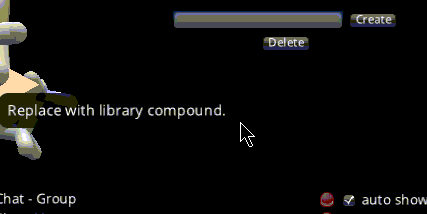
As is evidenced by a tooltip popup at the location where the button was before. As you can see, the mouse pointer is hovering over nothing but the tooltip shows the text associated with the button.
In addition to that, the region previously occupied by the Compound list is no longer responding to normal mouse/camera actions that should affect the view on the protein. So left-press and move the mouse no longer moves/rotates the camera when this is done in the area previously occupied by the Compound list. This is also true for popups that are visible but were previously covered by that list, such as the track window in this screenshot. It was unresponsive and I had to unshow and reshow it again to be able to enter a track name.
Other areas on screen do respond to those mouse movements.
BUG