
Bletchley Park Lv 1
This remains the same, even if I move things around. Part of the structure appears and disappears when wiggling. Also happened in previous compound puzzles.
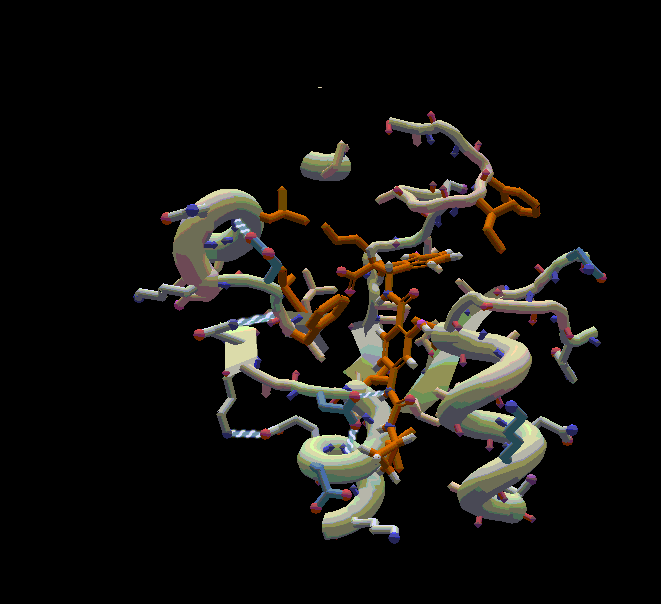
This remains the same, even if I move things around. Part of the structure appears and disappears when wiggling. Also happened in previous compound puzzles.

Do you have the clipping plane set? Using the controls Ctrl-Alt-click/drag and Ctrl-Shift-click/drag (up-and-down drag) you can control the clipping plane for the front and back of the display. Depending on where you have this set, and where things move you may see segments going in and out of view.
The answer is no for both possibilities. I tested this feature after you described it above and made sure the clipping planes are well out of the way. Have you loaded this puzzle yourself in a Windows machine ?

I've seen the same issue, but not on puzzle 2276. Not sure what was going on, but eventually I did something to clear it up. Restarting Foldit may help.
OK, what we have here is the "Binding Site" option under "View Protein" in the View Options.
If you're trying to open Open/Share Solutions and accidentally hit ctrl+shift+O a couple of times instead of just ctrl+O, you may end up with this option selected. Alternately, there's ctrl+shift+P which cycles through the view in the other direction, moving downward through the list. In that direction, you get to Trace Tube and other esoteric views before you reach Binding Site.
The shortcut ctrl+shift+X gets you EnzDes coloring with the Cartoon Thin view. That and "q" would tend to eliminate most view weirdness when it crops up.
@LociOiling Brilliant, you are correct and this indeed solved the issue ! Thank you very much for putting your time in to solve this riddle.