
Bletchley Park Lv 1
The password is entered correctly, the checkbox 'save password' is checked, logged in fine. When restarting the client (or opening a second client) the password is no longer correct.
BUG
The password is entered correctly, the checkbox 'save password' is checked, logged in fine. When restarting the client (or opening a second client) the password is no longer correct.
BUG

Are you judging this by the length of the ****s? Those are just a placeholder in the new client. The new client does not save your password at all, as this was very insecure. Instead, it saves a token that it uses to authenticate with the game API. The game will detect this token if it exists and fill in the placeholder password stars.
No.
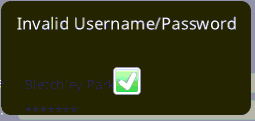
I really mean: the password is no longer correct.

Hmm, @"Bletchley Park" are you seeing this consistently every time you try to log in, or was this a one-time thing?
Can you check your Foldit data directory and look for a file called something like 0000108474.jwt? Does this file exist? (FYI, this is your secure login key, so you should not share this file with anyone, nor upload it here.)
Another thing is to be sure you do not edit the password field at all if you are using a remembered login. If you click in the password field and make any changes, the app will think that you are trying to reset your secure login. It will ignore your secure login key and try to log in with whatever text is in the password field.
Hi Bkoep,

Note that running multiple clients simultaneously from the same directory is not a supported use case. (In that we don't explicitly test that, nor have we audited the code to check to make sure the multiple clients don't step on each others' toes.) If you wish to run multiple instances of the client, we recommend doing so from completely separate working directories. – I don't know if that has a bearing on this issue, though.
That said, I think you would only get that particular error message if you're actually attempting to log in with a username/password combo. If the client is attempting to use the jwt token to authenticate, you wouldn't get that particular error. I'm not sure why the client would be using username/password authentication if you have the jwt file on disk. That should only happen if you've edited the password – where "edit" includes simply clicking on the password field (or otherwise highlighting it for text input).
Right, I will save my electric bill and halt your software until you sort things out.
@bkoep @rmoretti
I have found your bug.
It was this sentence that lead me to it: "That should only happen if you've edited the password – where "edit" includes simply clicking on the password field (or otherwise highlighting it for text input).".
The client selects the password field by default when you enter the login screen, thus that field is being 'edited'.
If you then press 'enter', which I have been doing for the past 12 years, the invalid password popup appears. Clicking the 'play online' icon instead will indeed allow you to continue without issues.
So: a solution to this would be to place the focus on something else than the password field when the checkbox is checked. A workaround would be pressing 'TAB' and then enter' for example.
Please DO NOT force us to click on that 'play online' icon as having to place the mouse over it slows down the procedure considerably when running many clients.
The client selects the password field by default when you enter the login screen, thus that field is being 'edited'.
If you then press 'enter', which I have been doing for the past 12 years, the invalid password popup appears. Clicking the 'play online' icon instead will indeed allow you to continue without issues.
Good find! You're right, this is poor UI and something that we can fix. Thanks for your help tracking this down!
You're welcome, thank you. Your positive comment helps to keep us motivated.