Hello,
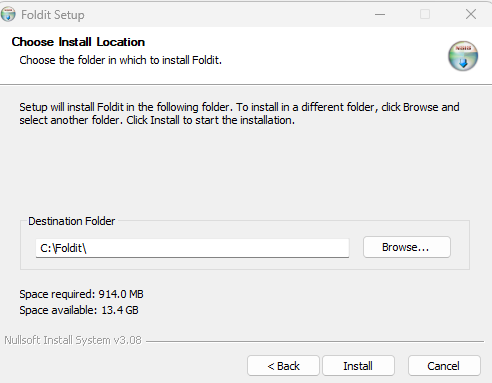
I work for a large public school in the Seattle area and we are working on packaging this application so our students can learn with it. This app appears to install in the root of C:\ which is a problem for a number of reasons. The documentation on this site states that the default location is 32- or 64-bit Program Files but that is not the case when I run this install manually or via one of our packaging tools. I looked in the install dir to see if there was a config file I could use to change the default location but couldn't find a setting related to install location.
Is there anyway to force this application to install in Program Files or is installing in C:\ the intended behavior?
Any help is greatly appreciated.
Hi Beta_helix,
We enforce silent installs so our users do not see the install GUIs. Is there a way to change the install location via some config file or switch? If not, is the documentation on this site stating that it installs in Program Files out of date or incorrect?
Thank you!
As indicated at the bottom of that dialog, Foldit uses the Nullsoft Install System to create the Windows installer. You should be able to use the standard command line parameters to control the installer. In particular, the /D option allows you to set the installation directory, which, in combination with the /S option, should likely allow you to automate the silent installation to the directory you're interested in. E.g.:
Foldit-win_x64.exe /S /D=C:\Program Files\Foldit
(Adjust path as appropriate)
Ah ha! That is exactly what I'm looking for. I ran the installer with the switches you suggested and it worked perfectly.
Thank you very much for your help. This community has been very responsive to my problem and it's much appreciated.
Thank you for trying out Foldit!
(and yes, we are very lucky to have an awesome Foldit community)