The real problem is that the FoldIt programmers do not know how to program for Windows. Sorry people, but we are not running windows 95 yet. There is actually disk, file, and registry permissions to deal with. NTFS, not FAT32 anymore. Shocking, I know.
- Setup programs are run by administrators and write files to C:\Program Files that normally never change, or at least very rarely.
Config values that are needed to make the program work but which normally never change, are written into the registry in HKEY_LOCAL_MACHINE\Software(Program name) – Users normally can not modify the local machine registry.
- User application data that isn't explicitly saved by the user as a document, goes into C:\Users(username)\AppData(Program Name)\
Config values in the registry that are custom to each user need to go into HKEY_CURRENT_USER\Software
- Cached application data that is useful to keep around from one logon to the next, but not critical for operations and can be regenerated, goes into C:\Users(username)\AppData\Local(Program Name)\
=============
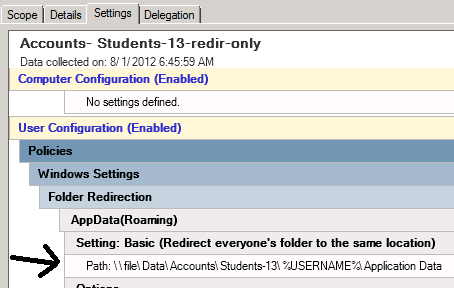
For schools and businesses that use roaming profiles, C:\Users(username)\AppData is copied up to the network file server and copied down to wherever the user logs on.
HKEY_CURRENT_USER also copies to the network file server when a roaming user logs off, inside the file C:\Users(username)\user.dat
AppData\Local is discarded when a roaming user logs off, and any data regenerated where they logon next. (There is often limited space for network storage, and so if you like to have a 4 gig image cache, leave it on the computer and don't waste time sending it over the wire at every logon/logoff.)
=============
Program updating should be split apart into two parts:
-
program/executable updates that occur very infrequently, done maybe once a year by a network admin
-
database updates, written into the user's roaming AppData program folder, or gasp, in an exposed location in their Documents folder
=============
The file paths for the current user are in the registry. These are dynamically updated for each user that logs on.
"Application Data" folder for current user:
HKEY_CURRENT_USER\Software\Microsoft\Windows\CurrentVersion\Explorer\Shell Folders\AppData
"Local application Data folder" not copied to network for current user:
HKEY_CURRENT_USER\Software\Microsoft\Windows\CurrentVersion\Explorer\Shell Folders\Local AppData
"Documents folder" for current user:
HKEY_CURRENT_USER\Software\Microsoft\Windows\CurrentVersion\Explorer\Shell Folders\Personal
Microsoft does not recommend reading these keys directly but instead using system functions: