Using the "drag bars" to expand the cookbook vertically or horizontally can have odd effects.
I have one Foldit where the cookbook won't open on alternate restarts. With these settings in options.txt, the cookbook won't open:
"cookbook/visible" : "0"
"cookbook/y" : "-2147483648"
(edit: wrong, the cookbook will open with -2147483648)
On the next start, the cookbook opens, and the settings have become:
"cookbook/visible" : "1"
"cookbook/y" : "0"
(edit: wrong, the cookbook won't open with 0 in the y key)
It's not clear why these settings flip-flop between the two values. These are the only two keys that change in options.txt on successive restarts.
I can recreate the "-2147483648" value with too much trouble, but I haven't recreated the scenario where the cookbook fails to open.
I'll detail the steps in further posts on this thread.
Here's an example of a problem when expanding the cookbook vertically.
First, maximize the Foldit window. Then, open the cookbook, and drag its title bar to the top of the Foldit window.
Now use the drag bar at the bottom of the cookbook window to expand the cookbook vertically. It's actually possible to drag the bar completely off the bottom of the screen.
In this case, the cookbook tools remain visible at the bottom of the screen. We'll call this the "simple" case.
Since the cookbook title bar was at the top of the Foldit window, it's no longer possible to resize the cookbook vertically.
Closing the cookbook and reopening it (alt+C, alt+C, for example) restores the drag bar at the bottom of cookbook window. This allows the cookbook to be reduced to a more workable size.
The next case is more complicated. Bugs begin to surface.
Here's an example where the vertical drag bar has disappeared off the bottom of the screen:
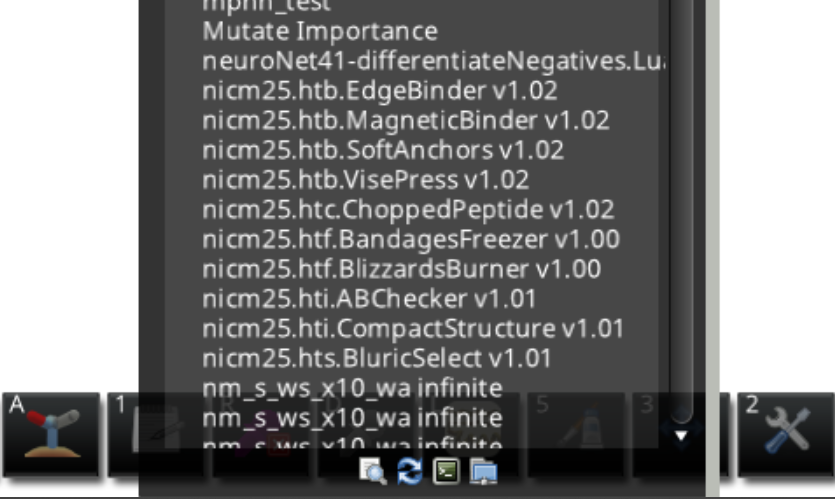
In the next, "complicated" example, the bottom edge of the cookbook can be dragged even further off the screen.
Again, start with the cookbook at the very top of a maximized Foldit window. Then drag the lower edge of the cookbook to the bottom of the window, but don't release the mouse. Now drag the lower edge back up, then back down, then back up, and then back down again, all without releasing the mouse.
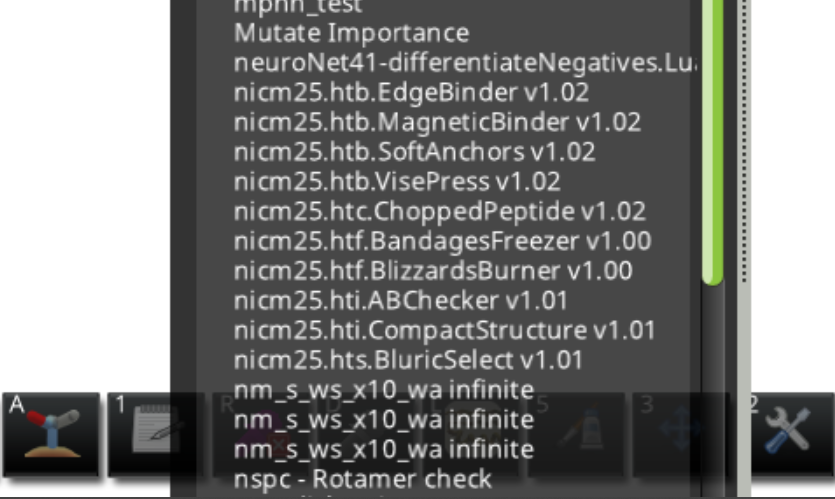
Now when you release the mouse, the cookbook is further off screen than before. The buttons for "web page", "refresh", "show recipe output", and "open recipe file" are gone from the the display.
Here's the example where the buttons are no longer visible:
This is where things get interesting.
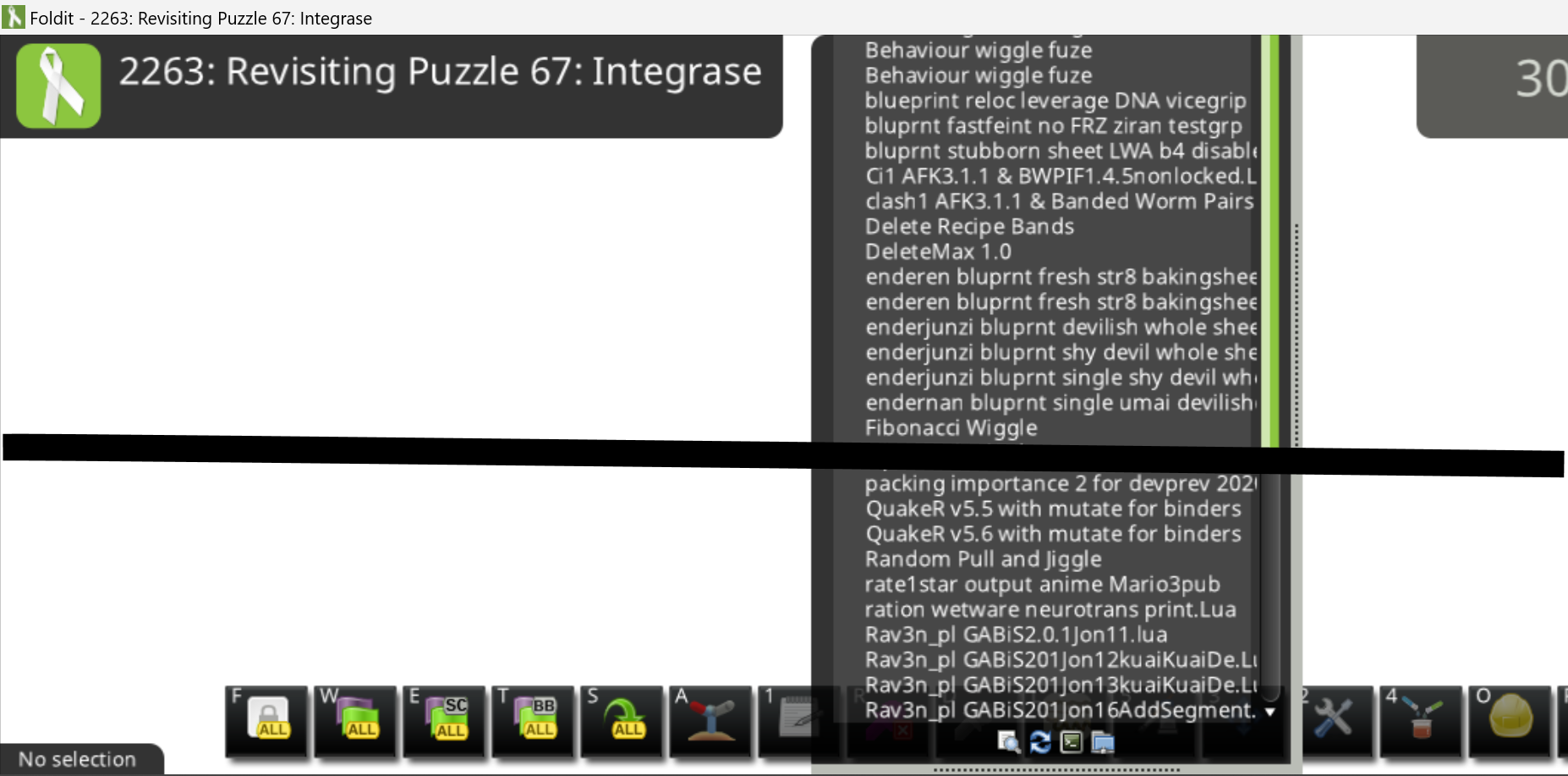
In the more complicated case described above, closing and opening the cookbook makes the cookbook buttons and vertical drag bar visible again, but now the cookbook's title bar is off the top of the screen.
Here's a split image showing the missing title bar at the top with the buttons and drag bar at the bottom:
In the previous complicated, dragging up on the elevator bar makes the cookbook title bar visible again, but it also pushes the vertical drag bar and tool buttons off the bottom of the screen again.
Doing a "restore down" (double boxes) followed by another "maximize", results in a cookbook with a "hole" at the top, at least when viewed with light background.
Here's an example of the "hole". Notice the menu bar also seems hollowed out.
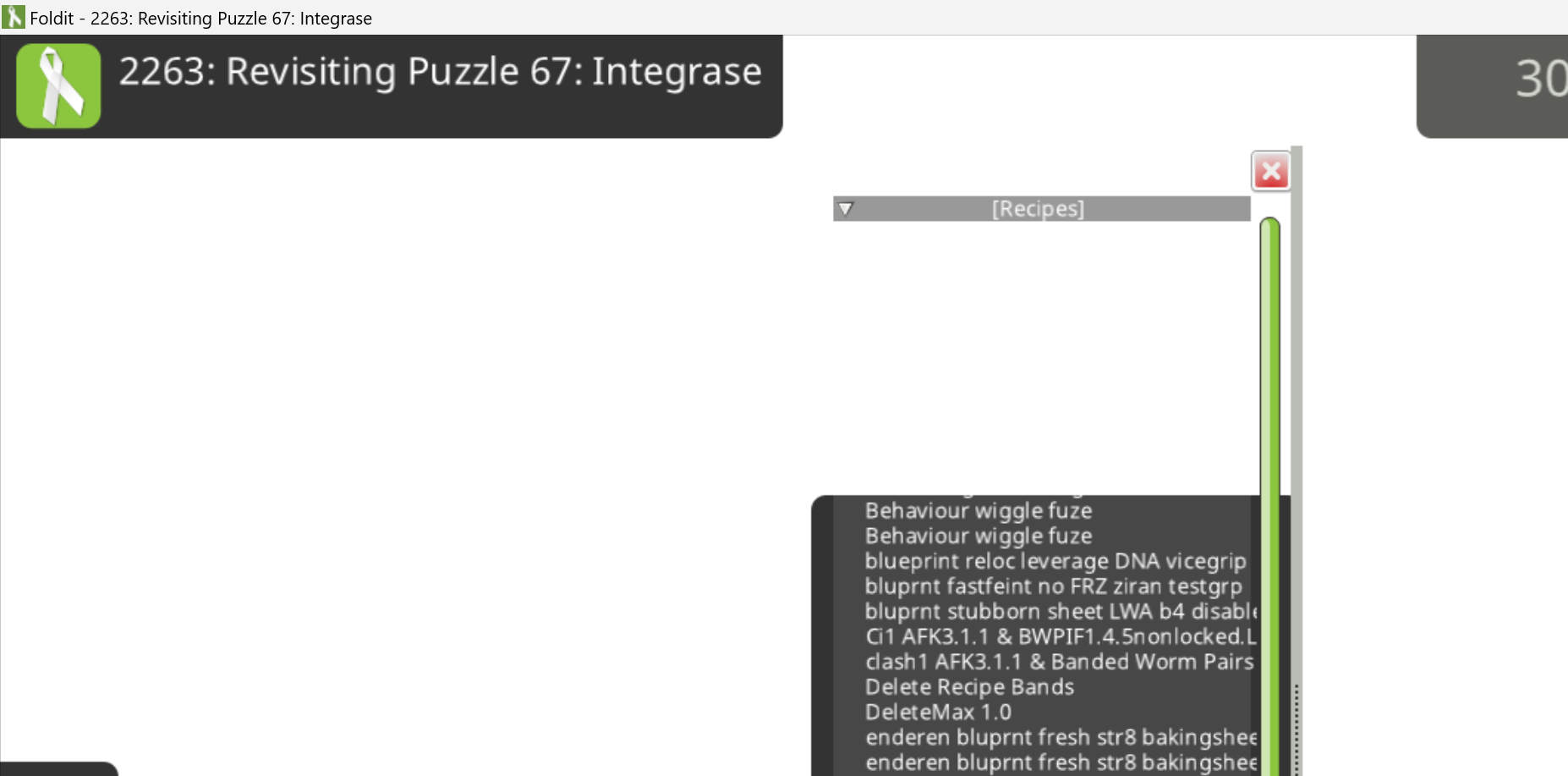
Here's the same view with a dark background and some protein added for contrast. The hole areas have a much lighter translucent background, while the normal areas have a more opaque background.
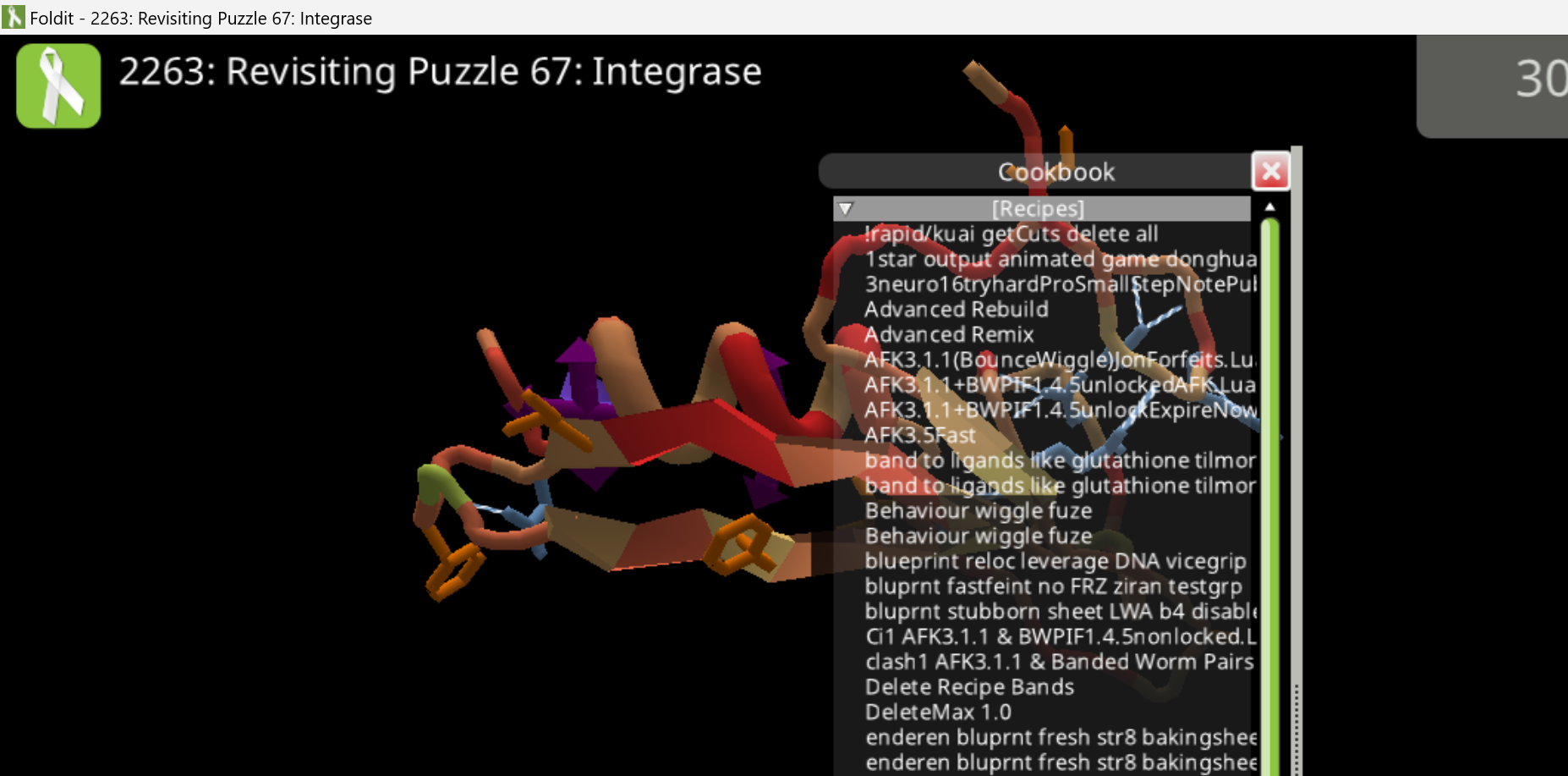
Closing and opening the cookbook again gets back to the condition where the title bar is off the top of the screen. This time, the elevator bar trick no longer gets the title bar back, but dragging up on the drag bar makes everything visible again.
While the cookbook is the in the "holes" state, it's possible to drag the barely visible title bar higher than normal.
Here, the title bar is almost completely hidden under the Windows title bar:
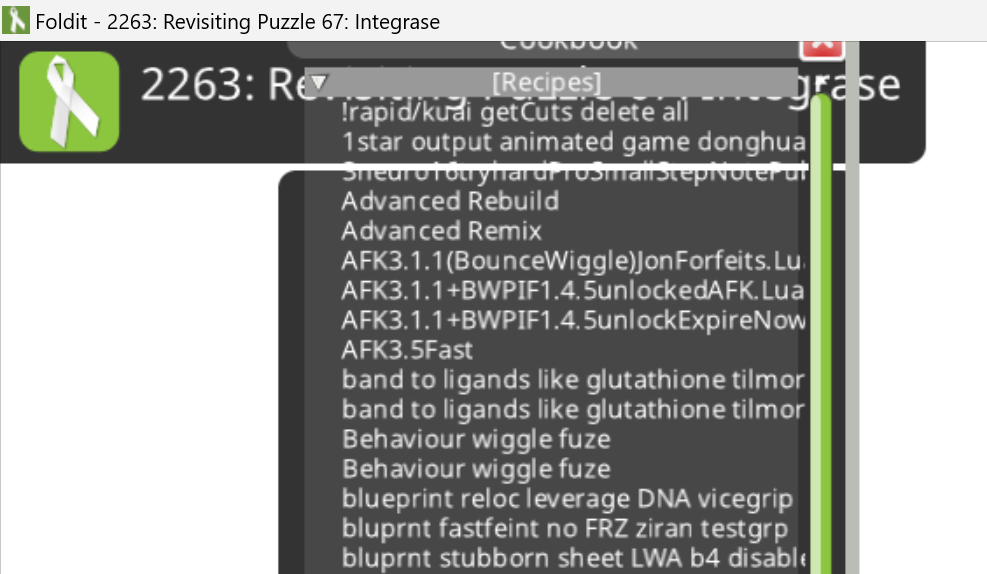
If Foldit is closed with the cookbook as shown in the previous example, with the title bar partially hidden, on restart, things may look normal.
But dragging the cookbook's title bar causes the cookbook to close. The cookbook then won't reopen using the icon or the keyboard shortcut.
Foldit doesn't crash, but there's no way to run a recipe.
The large negative "cookbook/y" value appears in options.txt when Foldit is closed:
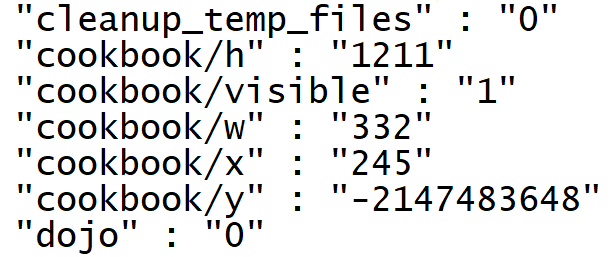
The previous scenario and some of the earlier ones may be hard to recreate reliably.
When dragging downward to resize the cookbook, speed seems to be involved to some extent. In some cases, it may be possible to drag the tool buttons off the bottom of the window in just one drag downwards. In other cases, two or three tries are necessary.
Opening and closing and cookbook via the icon or alt+C is part of the process, so is switching between maximized and the "restore down" position.
Stopping and restarting Foldit is another element.
One fairly reliable sequence:
- start Foldit
- maximize Foldit window
- open cookbook
- position cookbook at the top of the Foldit window
- drag down to move cookbook tools buttons off the bottom of the screen (dragging up and down repeatedly as needed)
- close cookbook
- "restore down" Foldit window (to less than full screen)
- open cookbook - title bar is off the top of the Foldit window
- maximize Foldit window - "hole" appears in cookbook
I'm still trying to reliably reproduce the steps leading up to the -2147483648 value. Most often, when the vertical drag is visible again, dragging on it snaps the title bar into view, clearing up the holes.
Just be clear, all of this is on Windows….
After some further experimentation, it turns out I had things slightly backwards.
This absurdly negative value in options.txt at startup means the cookbook will open normally:
"cookbook/y" : "-2147483648"
This more reasonable-looking value means the cookbook won't open, or at least it if opens it's in some parallel dimension where it can't be seen without special glasses:
"cookbook/y" : "0"
It's still not exactly clear when and how the -2147483648 gets in there or why it toggles between -2147483648 and 0 on successive restarts.
Also the holes and the other wonky behavior are still issues. I haven't even gotten around to horizontal expansion, which can make the cookbook absurdly wide with a little effort.
