
beta_helix Staff Lv 1
Hey all, we've just pushed out an update to the developer preview. You can find the release notes here.
Hey all, we've just pushed out an update to the developer preview. You can find the release notes here.

Here are some notes on testing so far.
The new behavior of the enter key in the Save Solutions dialog is taking a while to get used to. There doesn't seem to be a way to save the solution now without a mouse click; previously enter in the description field did the save.
The filter option for compound library results is not too helpful on the KCNT2 series. The filter probably looks at the N-N/N-O bond objective. The starting compounds have had major N-N bonds. More creative molecule designers may find the feature more useful. Unchecking the filter box apparently reloads the results, which may change the order in which compounds are displayed.
The problem with library compounds not getting the bonus seems to have been fixed, based on one older puzzle. Looking back at puzzle 2602, a couple of compounds in one result list didn't get the bonus. They seem to be OK now. The display may be somewhat different, what shows as just compound 13 in release 47 is now compound 13b in release 48.
More details below.
Release 48 Released to devprev on July 11, 2025 at 14:13 CDT

Good Work Team!!! that missing compound library bug was really annoying. was hitting my head on the keyboard every time i found the perfect ligand just to not get my bonus points. Keep up the good work and hopefully fix the trim/un-trim bug next?! fingers crossed
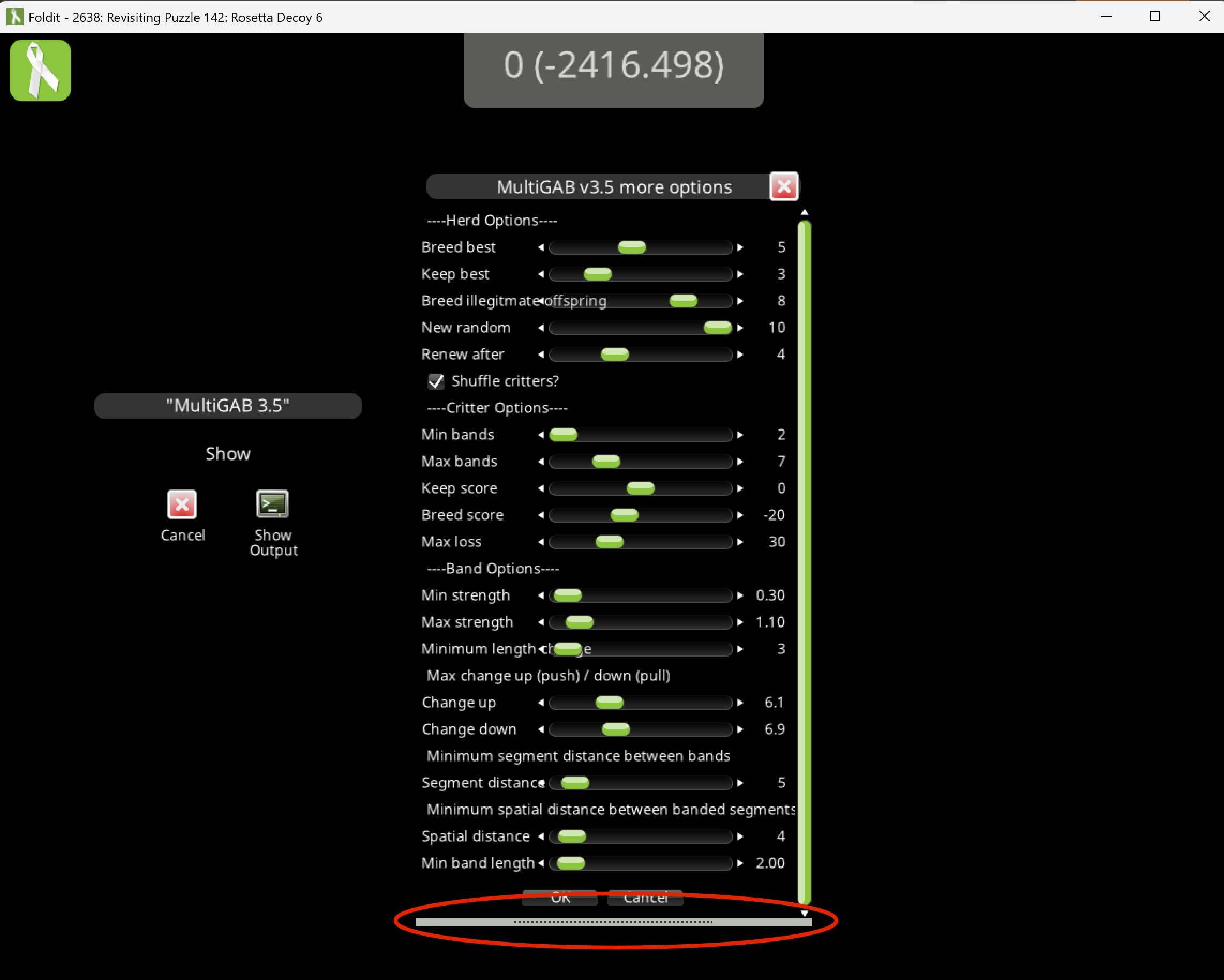
I found a new feature in devprev. Recipes with "tall" dialogs (lots of options or info) now have new controls. There's a dotted resize bar at the bottom that allows dragging the dialog taller. There's also an elevator bar on the right that allows scrolling.
These features are automatic, and don't require any recipe changes.
The dotted resize bar is highlighted here, and the elevator bar appears on the right.
The dialog can be expanded to the point that the resize bar no longer appears onscreen. A similar problem can occur with the cookbook.
Here, the dialog has been expanded, but can no longer be resized smaller:
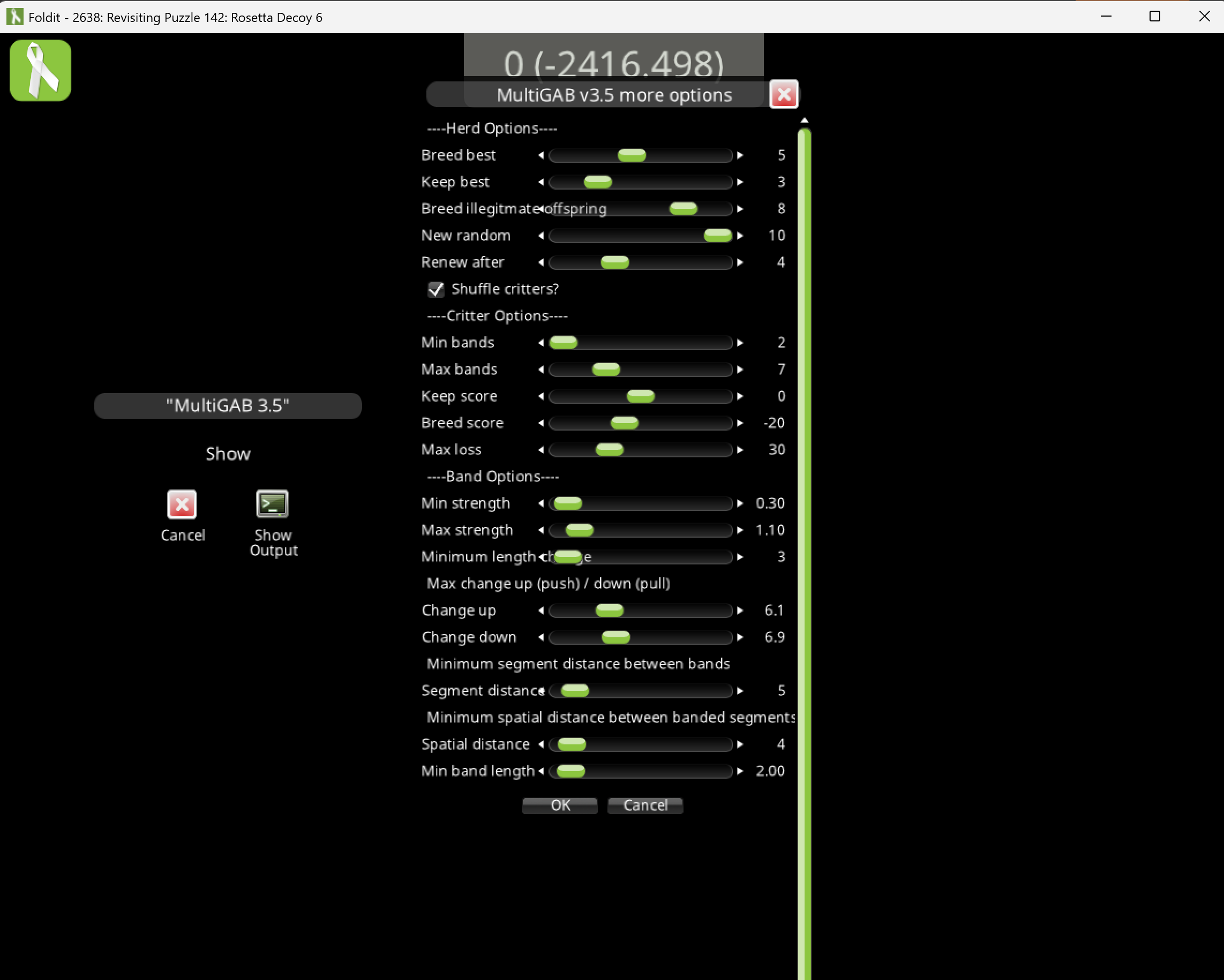
For recipes, the resize problem clears up if you go to another dialog and then return. In this example, the "more options" screen is a secondary dialog. Returning to the main dialog and then opening "more options" again clears up the problem.
If a recipe has only one dialog, restarting the recipe will clear the resize issue. In any case, the loss of the resize bar shouldn't really pose a problem, since it should be possible to scroll to the buttons (like "OK" and "Cancel") to control the recipe.
For the cookbook, closing the cookbook, then reopening it will show the dotted resize bar at the bottom of the Foldit window. The cookbook can then be dragged to a more normal size.
I'm finding that a dialog with 22 textboxes triggers the resize and elevator bars. A dialog with 21 textboxes doesn't do it.
When the Foldit window is smaller than the full screen size, any buttons like "OK", can be reachable if the resize bar is off the screen. Maximizing the Foldit window makes it possible to reach the buttons using the scroll bar.
I'm testing on 3480 x 2160 display with the scale set to 200% in Windows 11. It's entirely possible that different values for these settings will produce different results when it comes to dialog resizing. A dialog with 44 textboxes is enough to cause the problem, but that may not be the minimum required.

The recipe dialog window should add a scrollbar and resizing ability if the size of the full-sized dialog is estimated to be 2/3 of the current screen height or greater. (This was added in response to reports of issues with large recipe dialogs in one of the recent electron density puzzles.)
The recipe dialog_resize can be used to demonstrate the new feature.
I notice that the first dialog doesn't get the resize bar if the Foldit window is maximized on my 3480 x 2160 display. The resize bar appears when the Foldit window is smaller.