Use the new reaction design tool (blog post) to build a ligand which will bind well to the Y1 Receptor.
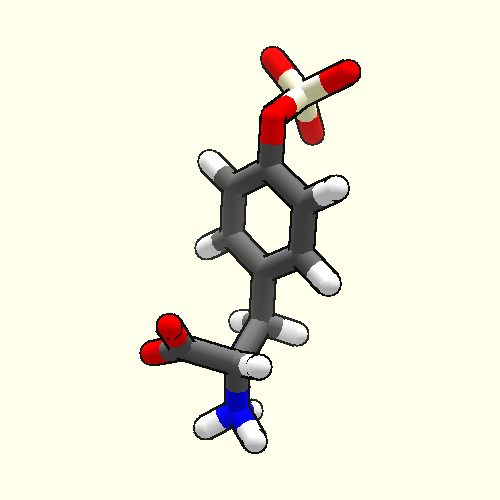
We've started you off with an arginine sidechain known to bind in the Y1 pocket. You can use the reaction design tool to grow this molecule to better fill the pocket. The molecules we're interested in at the moment are based on a central arginine core with "decorations" on either side. The reaction design tool will allow you to pick the best combination.
Since the precise 3D structure of the ligand is important, some of the reagent choices are very similar, except for the details of how the atoms are arranged (specifically, their chirality).
For more information about the Y1 receptor, see the previous puzzles: 1441, 1446, 1503 and 1653
This was one of the theories on our side, so I think it is a possible culprit.
However, we are trying to figure out what we changed that has suddenly caused your computer to be unsupported, as we don't think we've done anything that should cause this. If possible, we would like to continue supporting older hardware, as other people who try Foldit may run into the same issue.
We found a memory corruption bug which we believe to be the cause of the issue. We should hopefully be rolling out a patch for that sometime soon. (After we dot 'i's and cross 't's and push it through the release pipeline.)
Thanks. I am hitting the button at the bottom of the reaction design panel to run the reaction.
I selected my reaction design in the menu and pressed the button at the bottom that looks like the remix button.
Once pressing it, it applies the reaction, then snaps back to the previous design before I can do anything. This can be shown in the undo menu, where there is a yellow V shape. The base is the applied reaction, and the rise back up is from it automatically undoing the change.
I cannot get the image uploading to work to provide further info unfortunately.
I have no idea how to choose/unchoose what I want, and no one seems to be able to tell me.
What is the significance of the row on top? And why three columns? None of this was answered in the tutorial.
There is nothing to tell me which structure(s) I have chosen. Why aren't the current choice(s) highlighted? There is also no system for keeping track of permutations chosen. Do I really need to get a pencil and paper to play this game?
I appreciate seeing and trying new things, but this level of frustration I feel from being left cluelessly in the dark is exactly why new players mass exit this game as fast as they come in.
The lack of detail (text) to tell us ANY sort of info about the choices, makes this all the more difficult to use the tool (or at least use it properly/to the fullest extent).
Which I, too, found the lack of selection indicator to be frustrating when re-opening the tool after a couple hours. :(
I could repeat Boots' other points, but I'll simply end on the note of:
This is coming from someone who not only played, but "beat" the Tutorial level for Reaction Design! Sadly, that tutorial taught us nothing other than how to access the tool in Original Interface. Mind you, I do understand that it's always able to be improved and made better, but it almost seems better to have waited before rolling it out. The text in the Puzzle Description was sufficient to get the ball rolling, all that was needed was a quick bit of text that explained how to access the tool and it would've been on par with the tutorial lol (also… while we're nit-picking… renaming the Intro/Tutorials to "Campaign" wasn't a good idea, since in every game I've ever played the Campaign(s) are the full-blown single-player side of the game; unrelated to the tutorial or introduction of game mechanics.)
Since we're not allowed to delete or edit our posts….
I found what the top row and the columns represent, here: https://fold.it/portal/node/2009869 . For anyone who wants to know, that page explains the new tool… somewhat.
All the rest of my questions remain.
And now I have more questions. Can I choose more than one item in the same column? Why is the ligand the same color as the protein, making it difficult to find?
(Note: The Boots' last question about colors is because he is colorblind; there are a handful of active folders that are)
In DevPrev, they appear to have already addressed the Menu not showing selected options :) I don't know if that will be visible to you, but hopefully it is (they are teal, which is inbetween green and blue). The menus are also (at least in Dark Background mode) also now equipped with a dark background. In actuality, the fact that Mainline has a bright background MAY be hiding the selection boxes (even to a Trichromate like myself lol)
No green or blue or anything inbetween om my legund. it is orange or orange-brown depending on how one sees color varients, jusr like hydrophobics, i.e. no color distinctiveness between hydrophobes and legund. And yes I do have color vision but near blind in other regards.
I might have misrepresented what I was trying to explain… (it was 2:30am and I was very tired)
What I meant was that in the Reaction Design tool window where you pick the options to build your Ligand, that the thumbnails in DevPrev (the Test version of Foldit) have a Teal (Green-Blue) outline around their boxes to show that it is selected.
In the Main version it appears to lack any outline and that makes it very hard to determine what configuration you are using.
Maybe I am missing something here, but this almost looks like one of the cases where an automated algorithm would do a better job? After all, it appears that there are only 6 options in the first column, 15 in the second, and 2 in the third, for a total of 180 combinations.
Is the computational complexity so great that a brute-force approach won't outperform humans, or is this a situation where pattern recognition actually matters (because fine-tuning the fit via manual adjustments is also needed)?